

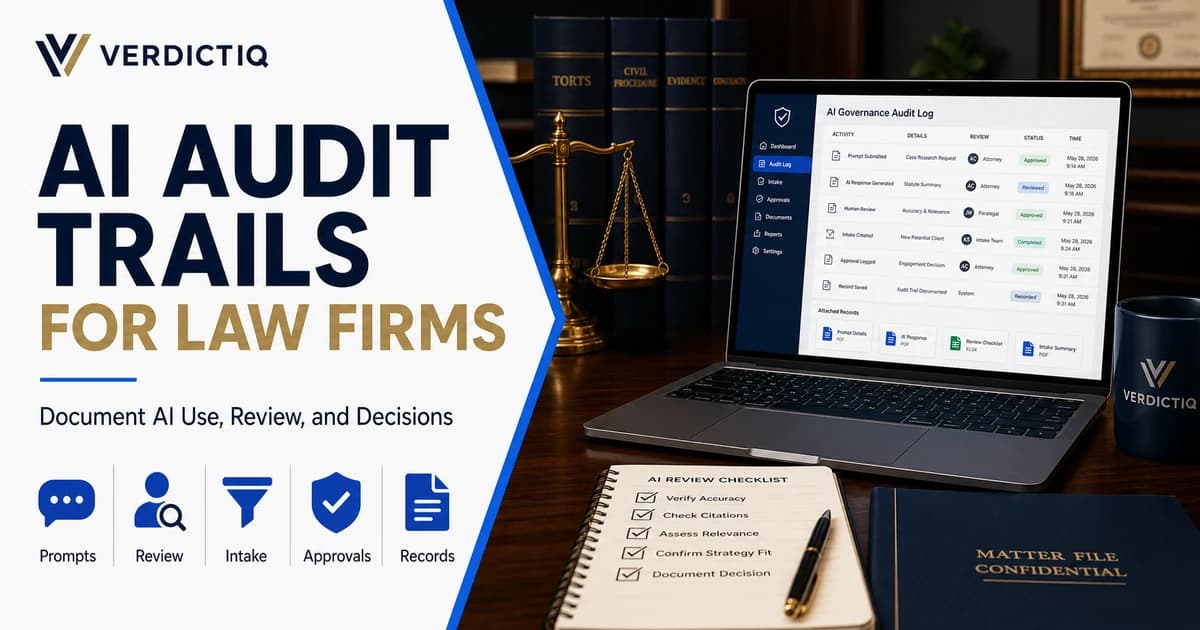
AI audit trails for law firms are the records that show how artificial intelligence was used, reviewed, approved, corrected, and connected to a client or business decision. They matter because AI is no longer only a writing experiment. Law firms are using AI across intake, search visibility, marketing content, research support, call summaries, lead qualification, internal workflows, and reporting.
That creates a simple problem: if AI helped produce an answer, summary, recommendation, intake note, marketing claim, or workflow decision, the firm should be able to explain what happened. Who prompted the system? What source material was used? What output was generated? Who reviewed it? What was changed? Was it sent to a prospect, saved to a file, used in a report, or rejected?
This article is not a duplicate of the AI visibility audit for law firms. That guide is about whether a firm can be found, cited, and trusted by AI-assisted discovery systems. This guide is about operational documentation: what a firm should track internally when AI touches legal marketing, intake, client communication, or decision support.
What an AI Audit Trail Means for a Law Firm
An AI audit trail is a record of AI-assisted activity. In a law firm, that record may include prompts, source documents, generated outputs, human edits, reviewer names, approval status, timestamps, client or matter identifiers, system settings, and final actions taken. The goal is not to turn every AI use into bureaucracy. The goal is to make important AI-assisted work explainable after the fact.
For a simple internal brainstorm, a lightweight record may be enough. For intake summaries, client-facing emails, public legal marketing content, AI visibility recommendations, or workflow automation that affects prospects, the documentation standard should be higher.
The National Institute of Standards and Technology's AI Risk Management Framework is useful because it frames AI risk around governance, mapping, measuring, and managing. Law firms do not need to copy an enterprise framework word for word, but they should borrow the operating principle: AI systems need ownership, risk awareness, measurement, and documented controls.
A good audit trail answers the question a partner, compliance reviewer, client, or vendor manager may ask later: how did this AI-assisted work happen, and who made the final decision?
Why AI Audit Trails Matter Now
AI adoption inside law firms is moving faster than firm documentation habits. A team may test a chatbot for intake, use generative AI to summarize calls, draft blog content with AI assistance, create AI-citeable answer blocks, or use automated workflows to score leads. Each of those use cases can help the firm move faster, but each also creates a recordkeeping question.
If the firm cannot reconstruct how an AI output was created, it may struggle to review accuracy, correct errors, train staff, protect confidential information, or explain why a prospect received a particular response. The risk is not only technical. It is operational. AI can make the wrong process move faster.
Audit trails also protect useful AI work from being treated like a black box. If a workflow improves intake speed or makes marketing content easier to maintain, the firm should be able to show the controls around it. Documentation makes AI easier to trust, improve, and scale.
For firms still deciding what to automate first, the AI consulting for law firms guide explains how to prioritize work without turning AI into a disconnected experiment.
Where Law Firms Need AI Audit Trails
Not every AI use needs the same level of documentation. A firm should focus first on the places where AI affects prospects, clients, marketing claims, intake decisions, legal workflows, or business reporting.
| AI Use Case | What to Document | Why It Matters |
|---|---|---|
| Client intake | Prompt, transcript, summary, qualification logic, human review, booking outcome | Intake records affect lead quality, follow-up, and consultation decisions |
| Call summaries | Source call, AI summary, reviewer, edits, final notes saved | A bad summary can distort facts or next steps |
| Marketing content | Prompt, source pages, generated draft, human edits, approval, published URL | Public claims need accuracy and review |
| AI visibility work | Prompt tests, model responses, cited sources, page updates, reviewer notes | Visibility claims should be traceable and not invented |
| Workflow automation | Trigger, decision rule, AI output, exception handling, owner, final action | Automation can scale mistakes if nobody can inspect the path |
| Reports and dashboards | Data sources, AI summary, assumptions, reviewer, final recommendation | Business decisions need clean source handling |
This table is not a universal policy. It is a starting point. A small firm may document these items in a structured spreadsheet or intake system. A larger firm may need a formal workflow, review queue, approval status, and retention policy.
What to Include in an AI Audit Trail
A useful AI audit trail should be specific enough to reconstruct the work without becoming so heavy that nobody follows it. The right fields depend on the risk level, but most law firms should start with a consistent core record.
- Date and time of AI use
- User or team member who used the AI system
- Tool or workflow used
- Purpose of the AI task
- Prompt or instruction given to the system
- Source material provided to the system
- Generated output or summary
- Human reviewer and review date
- Changes made by the reviewer
- Approval, rejection, or escalation status
- Client, prospect, matter, campaign, or page connected to the output
- Final action taken after review
- Retention location for the record
The key field is often final action. Many firms capture drafts, but they do not capture what happened after the draft. Was the output rejected? Was it rewritten? Was it used as an internal note? Was it sent to a prospect? Was it published? Was it used to score a lead? The audit trail should close the loop.
Prompt Records: What Was Asked
Prompt records matter because the same AI tool can produce very different outputs depending on the instruction. If the prompt is vague, the answer may be vague. If the prompt includes confidential information, the firm needs to know that. If the prompt asks for a legal conclusion without guardrails, the output may create review risk.
At minimum, the firm should record the prompt for high-impact uses. For low-risk drafting or internal brainstorming, storing every prompt may be unnecessary. But for intake summaries, marketing claims, AI visibility analysis, lead qualification, or client-facing workflow, the prompt is part of the record.
Prompt records also help improve the system. If a bad output appears, the firm can inspect whether the problem came from the prompt, source material, workflow rules, missing review, or the AI model itself. Without the prompt, everyone is guessing.
Source Records: What the AI Was Given
An AI output is only as trustworthy as the task, sources, and review behind it. Law firms should document the source material used for meaningful AI work. That might include a call transcript, intake form, website page, legal marketing brief, analytics report, GSC export, CRM record, or internal policy.
Source records are especially important for public content. If AI helped draft a page about personal injury SEO, AI visibility, intake automation, or legal AI implementation, the final editor should know what sources informed the draft. Unsupported statistics, invented claims, or generic advice can create trust problems quickly.
That is why VerdictIQ avoids fake statistics and uses primary or official sources when claims need support. The same principle should apply inside a law firm. AI should not be allowed to turn weak sourcing into confident language.
Human Review Records: Who Approved the Output
Human review is one of the most important parts of an AI audit trail. The record should show who reviewed the output, what they checked, what they changed, and whether they approved, rejected, or escalated it.
For legal marketing content, review should focus on accuracy, claims, jurisdiction-sensitive language, client confidentiality, and whether the content drifts into legal advice. For intake summaries, review should focus on factual accuracy, missing information, urgency, conflict indicators, practice-area fit, and whether the lead should move forward.
The State Bar of California's rules on the lawyer-client relationship and its information about legal services rules are useful reminders that law firm communications and client-related work need care. State rules vary, and firms should review their own obligations, but AI does not remove the need for professional judgment.
Intake Audit Trails for AI Reception and Qualification
AI intake creates one of the clearest audit-trail needs because it touches prospects directly. If an AI receptionist answers, summarizes, qualifies, routes, or books a lead, the firm should be able to review the interaction later.
The audit trail should include the source of the lead, call or chat transcript when available, AI-generated summary, qualification outcome, escalation path, appointment status, missed-call status, and human review notes. If a prospect was not booked, the firm should know why. If a matter was escalated, the firm should know who handled it and when.
For firms using GateKeeperAI, the goal is not only faster response. It is a better record of what happened after a prospect reached out, so the firm can improve capture, qualification, and follow-up.
Marketing and AI Visibility Audit Trails
AI audit trails also matter for marketing and AI visibility work. Law firms increasingly use AI to draft content, structure answer blocks, summarize GSC patterns, test prompts, and monitor how the firm appears in AI-assisted discovery. That work should be documented when it informs published claims or strategy decisions.
For content, the firm should record the draft source, reviewer, edits, approval, and published page. For AI visibility, the firm should record test prompts, model responses, sources cited by the model, pages updated, and whether any claims were made publicly. If the firm says it improved AI visibility, it should have a record of what was tested and changed.
The AI visibility for law firms page explains the service-level strategy. The AI-citeable content framework explains how to structure content so AI systems can understand and cite it.
Analytics and Reporting Audit Trails
AI can summarize analytics and search data quickly, but the firm should not lose sight of source data. If AI summarizes GSC, GA4, call tracking, CRM, or intake outcomes, the report should show which sources were used and who reviewed the recommendation.
Google Search Console's performance reports can show query and page performance, but AI-generated summaries of that data still need human interpretation. A model can spot patterns, but the firm should decide what they mean for strategy.
For VerdictIQ, this is part of the broader revenue infrastructure problem. Data, automation, and AI summaries should connect to business outcomes instead of becoming disconnected reports.
What Not to Put Into an AI System
An audit trail should also help the firm enforce boundaries. Some information should not be placed into an AI tool unless the firm has approved the platform, configured the right privacy controls, and decided the use is appropriate.
- Confidential client facts without an approved workflow
- Privileged material without clear controls
- Sensitive personal information without a documented need
- Unreviewed legal conclusions intended for a client
- Case strategy that should stay inside attorney review
- Claims about results, guarantees, or endorsements without support
- Data from analytics or CRM systems that the firm is not allowed to share
This is not a reason to avoid AI entirely. It is a reason to define use cases carefully. The firm should know which tools are approved, which workflows require review, which data is prohibited, and which outputs can never be sent or published without human approval.
Who Should Own the AI Audit Trail
AI audit trails fail when ownership is vague. If everyone assumes someone else is checking the records, the system becomes performative. A law firm should assign ownership based on the workflow, not based on whoever happens to be most excited about AI.
For intake workflows, ownership usually belongs with the intake manager, operations lead, or attorney responsible for conversion quality. For marketing content, ownership usually belongs with the marketing lead and final attorney reviewer. For AI visibility projects, ownership should sit with the person responsible for search strategy, content quality, and reporting. For matter-related workflows, the responsible attorney should decide the approval standard.
Ownership should answer four questions. Who can approve this AI use case? Who reviews the output? Who decides when an exception needs escalation? Who checks the records later to make sure the process is actually being followed? If those questions are not answered, the audit trail may exist in theory but disappear under real workload.
This is also where firms should separate tool administration from professional review. A technology vendor, marketing agency, or automation consultant can help configure systems and reporting. They should not replace the firm's judgment about client communication, legal accuracy, confidentiality, or whether an AI-assisted output is appropriate to use.
How Long Should Law Firms Keep AI Records
Retention depends on the type of AI use, the firm's policies, the systems involved, client obligations, and the jurisdiction. A blog draft does not need to be treated the same way as an intake record. A prompt experiment does not need the same retention approach as an AI-assisted client communication. The important point is that the firm should make the decision deliberately before the workflow scales.
For marketing and AI visibility work, firms should usually keep enough documentation to understand what was published, what sources were used, who reviewed the piece, and when it was updated. That makes future refreshes easier and helps prevent unsupported claims from spreading across pages. For intake and client-facing workflows, the firm may need a more formal retention path connected to the CRM, intake platform, or matter management system.
The worst approach is letting AI records scatter across chat histories, screenshots, shared documents, inboxes, and disconnected spreadsheets. When records are fragmented, the firm cannot easily reconstruct the work. Pick a source of truth for each workflow, name the owner, and decide what gets stored there.
A Practical AI Audit Trail Workflow
A practical workflow starts with classifying the AI use by risk. Low-risk internal brainstorming may need little documentation. Moderate-risk marketing drafts or report summaries should have prompts, sources, reviewer, and final action. High-risk intake, client-facing communication, or matter-related work should have a structured record and clear approval path.
A simple law firm workflow can look like this:
- Define the AI use case before the tool is used
- Set the approved prompt or workflow
- Capture the source material and output
- Route the output to the right reviewer
- Record edits, approval, rejection, or escalation
- Save the final action in the right system
- Review patterns monthly to improve prompts, training, and controls
The best audit trail is one the team can actually follow. If the workflow is too heavy, people will bypass it. If it is too light, it will not answer the questions that matter. Start with the highest-risk use cases and expand from there.
Common AI Audit Trail Mistakes
The first mistake is documenting the AI output but not the source. A final summary is not enough if nobody can see what information the system used. This is especially risky for intake, reporting, and content because the output may sound polished even when the underlying source is incomplete.
The second mistake is documenting review without documenting edits. A checkbox that says approved is weaker than a record showing what the reviewer changed. Edits reveal whether the AI was mostly accurate, consistently missing context, overstating claims, or creating extra work for the team.
The third mistake is treating all AI work as equal. Firms either over-document everything until the process becomes unusable, or under-document high-impact workflows because the team wants speed. A better model is risk-based. Document more when AI touches prospects, clients, public claims, revenue decisions, or matter-related workflows. Document less when AI is only helping with private brainstorming or first-pass organization.
The fourth mistake is forgetting to review the audit trail itself. Records should not only sit in storage. They should help the firm improve prompts, identify training gaps, catch workflow errors, and decide which AI uses are worth scaling. If nobody learns from the records, the firm is only collecting evidence after the fact instead of improving the system.
How AI Audit Trails Support SEO and AI Visibility
Audit trails may sound like an operations topic, but they support SEO and AI visibility too. Search and AI discovery both reward trust. A firm that documents sources, review, updates, and claims is better positioned to publish content that is accurate, consistent, and useful.
For example, if AI helped identify a content gap, the firm can record the GSC query, the page affected, the recommendation, the editor's review, and the published change. If AI helped structure an answer block, the firm can record the source page, citation target, reviewer, and final version. That creates a clean path from insight to implementation.
This matters because VerdictIQ does not treat AI visibility as a trick. The work should make the firm easier to understand, easier to cite, and easier to trust. Audit trails help prove the process behind that work.
How VerdictIQ Helps Law Firms Build AI Audit Trails
VerdictIQ helps law firms connect AI strategy to real workflows. That includes deciding what to automate, what to keep human, how to document AI use, how to connect intake and reporting, and how to make AI visibility work measurable instead of vague.
The broader implementation sequence is covered in the legal AI implementation checklist. For firms that want help translating that into workflows, the law firm AI consulting page explains how VerdictIQ approaches AI adoption without losing control of quality, intake, or measurement.
The goal is simple: use AI where it helps, document the path where it matters, and keep humans responsible for the decisions that affect prospects, clients, and the firm's reputation.
Final Takeaway
AI audit trails for law firms are not paperwork for paperwork's sake. They are the operating record that lets a firm use AI responsibly across intake, marketing, reporting, visibility, and workflow automation.
The firms that scale AI well will not be the ones that automate everything blindly. They will be the ones that know what AI touched, what sources were used, who reviewed the output, what changed, and what decision was made after the review.
If your firm wants to use AI without losing control of quality, documentation, or intake outcomes, book a VerdictIQ strategy call. We will help map the AI workflows that need audit trails before they become hard to govern.
Frequently Asked Questions
What is an AI audit trail for a law firm?
An AI audit trail is a record of how AI was used, what prompt or source material was involved, what output was generated, who reviewed it, what changed, and what final action the firm took.
Do all AI uses need the same level of documentation?
No. Low-risk brainstorming may need little documentation. Intake, client-facing communication, public marketing content, legal workflow automation, and strategic reporting should have stronger records and human review.
How do AI audit trails help with AI visibility?
They help law firms document sources, review, claims, updates, and recommendations behind AI-assisted content and visibility work, which supports more trustworthy and measurable AI search optimization.